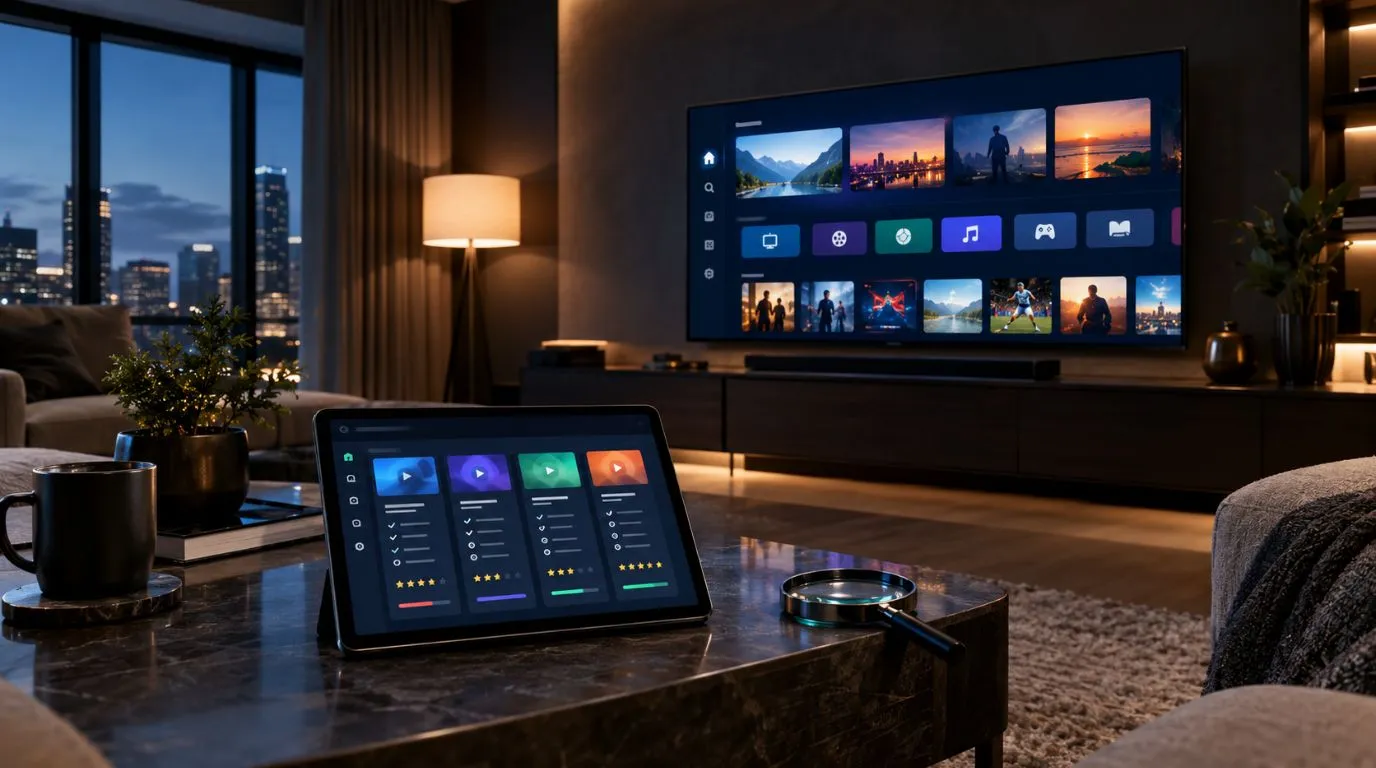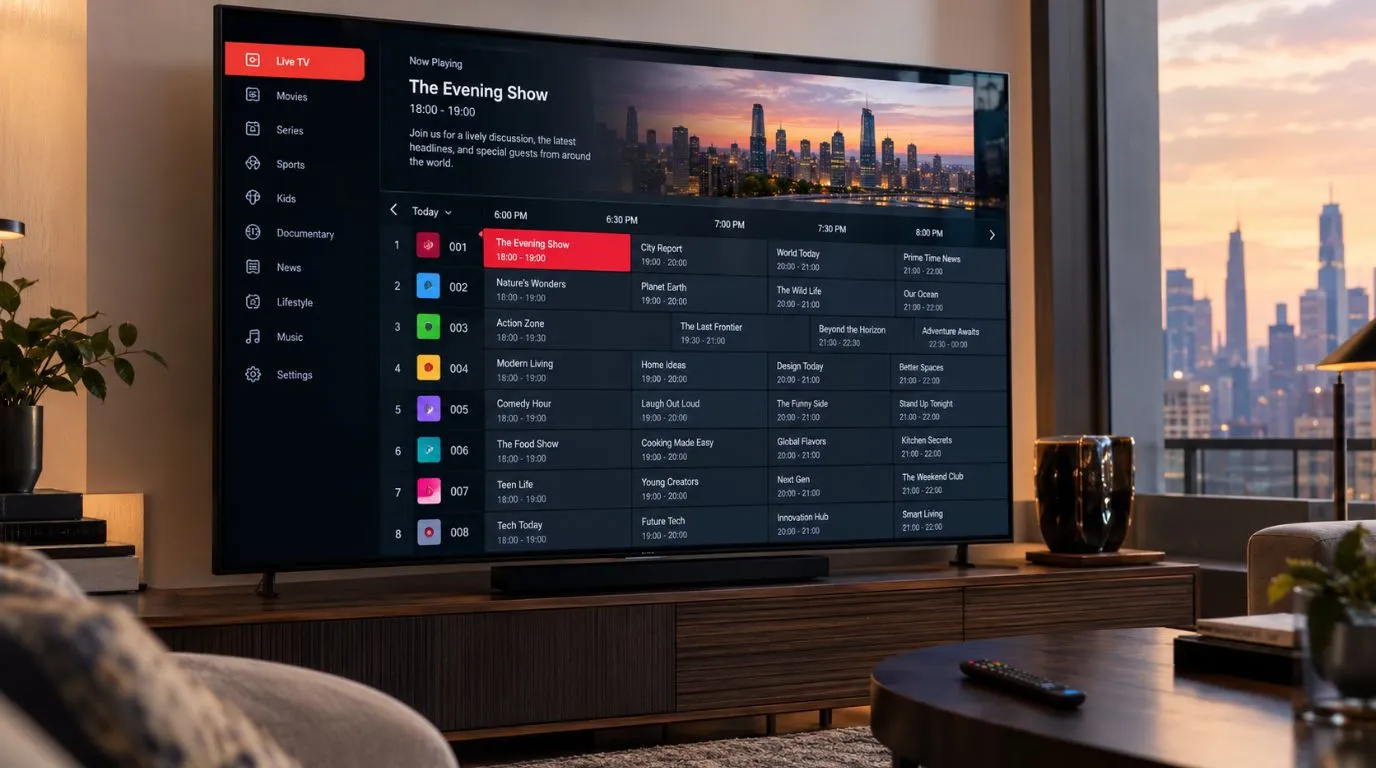
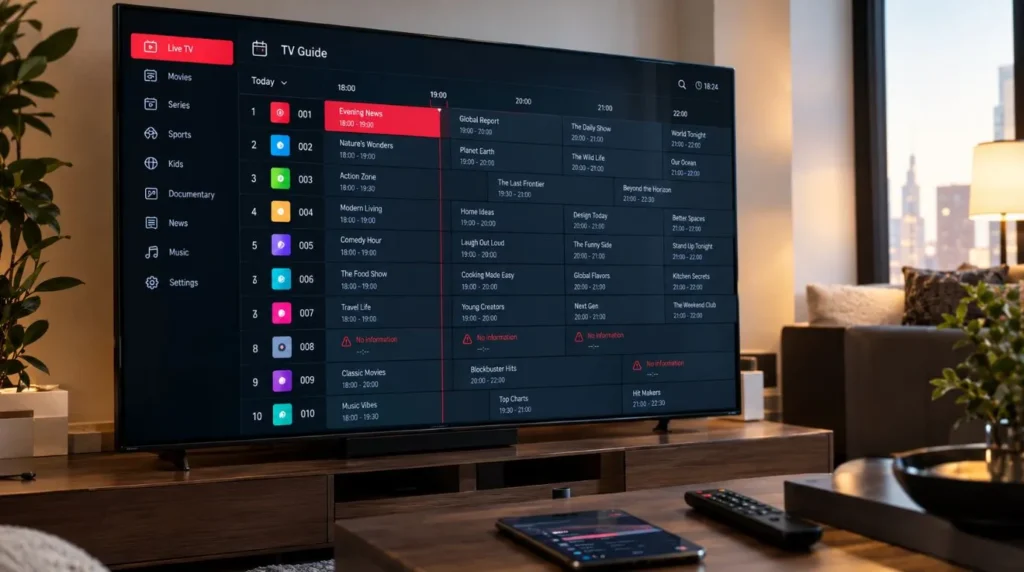
If you use IPTV, you may have noticed a TV Guide or EPG option alongside your channel list. Instead of simply showing channel names, an electronic program guide can display what is currently playing, what is coming next, and additional program information.
Understanding how an EPG IPTV system works can make your IPTV setup easier to manage. It can also help explain why schedules sometimes appear correctly for some channels but are missing or inaccurate for others.
This guide explains what IPTV EPG data is, how an EPG source connects to your channels, how compatible IPTV players use that information, and what to check when your program guide is not working properly.
Table of Contents
What Is EPG IPTV?
EPG stands for Electronic Program Guide. In an IPTV environment, it is the schedule information associated with live television channels.
A channel list tells you which channels are available. An EPG tells you what is scheduled on those channels.
For example, a channel list might show:
| Channel | EPG information |
|---|---|
| Channel A | Current program, next program, schedule |
| Channel B | Current program, next program, schedule |
| Channel C | Current program, next program, schedule |
Depending on the IPTV service and available data, an EPG can display:
- Current program title
- Upcoming programs
- Start and end times
- Program descriptions
- Date information
- Schedule information for multiple channels
This is what turns a basic IPTV channel list into something closer to a traditional television guide.
What Does an IPTV EPG Show?
The exact information depends on the EPG data provided for a channel.
A typical guide may show the current program and several upcoming programs. Selecting a program may reveal additional information, such as a short description or scheduled duration.
For example:
7:00 PM – 8:00 PM
Evening News
8:00 PM – 9:00 PM
Prime-Time Program
9:00 PM – 10:00 PM
Late Evening Show
The IPTV player is responsible for displaying this information. The actual schedule data normally comes from an EPG source or information associated with the IPTV service or playlist.
IPTV EPG vs. IPTV Channel List
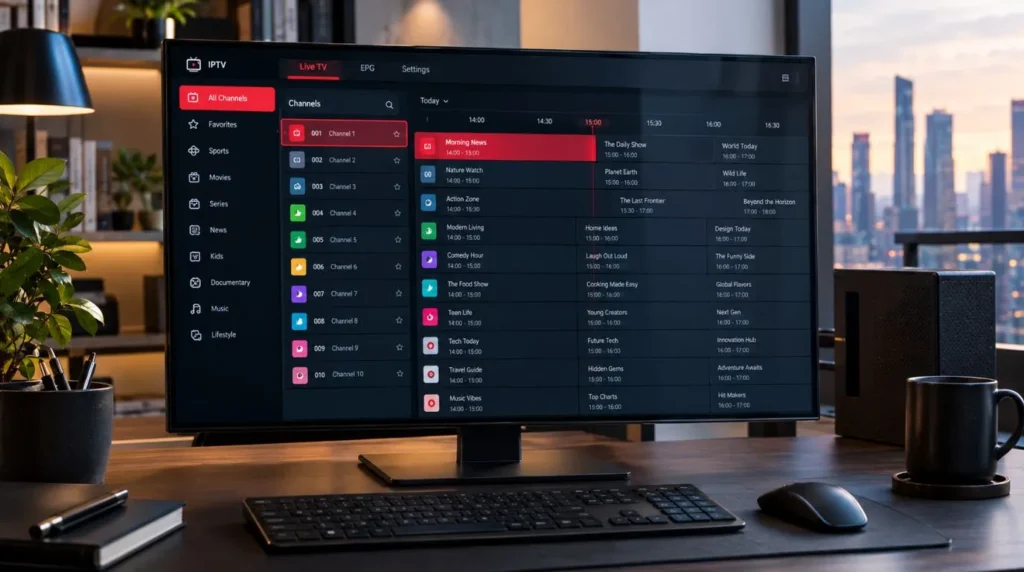
One of the most important distinctions is the difference between the channel list and the program guide.
The channel list identifies channels. The EPG provides programming information for those channels.
Think of them as two different layers:
Channel playlist → available channels
EPG data → programming schedules
For example, an IPTV playlist might contain a sports channel, a news channel, and a movie channel. The EPG can then provide the programming schedule associated with each one.
This is why having a large channel list does not automatically mean every channel will have complete guide information.
If you are looking for the channels available through ViviMate, you can explore the ViviMate IPTV Channels page separately. The purpose of this guide is to explain the EPG functionality rather than duplicate the channel catalog.
How Does an EPG for IPTV Work?
An EPG for IPTV generally involves several components working together.
A simplified version looks like this:
IPTV service or playlist → Channel information → EPG data → IPTV player → TV Guide
The player receives channel information and uses available program data to display the schedule.
For an EPG to work correctly, the program information needs to correspond to the correct channel. This is why channel identification and mapping can matter.
If the EPG data identifies a channel differently from the playlist, the player may not automatically associate the schedule with the correct channel.
Why Does Channel Mapping Matter?
Imagine that your playlist contains a channel named:
Example News HD
The EPG source may identify the same channel using a different internal identifier.
If those identifiers or mappings do not correspond correctly, the player may show:
- No program information
- The wrong schedule
- A schedule belonging to another channel
- Incomplete program data
The exact behavior depends on the IPTV player and how its EPG system handles channel matching.
What Is an IPTV EPG Source?
An IPTV EPG source is where the electronic program guide data comes from.
It can contain structured information about channels and their programming schedules. One commonly encountered format in IPTV environments is XMLTV, which is designed to represent television listings and related metadata.
An EPG source may provide information such as:
- Channel identifiers
- Program titles
- Start times
- End times
- Program descriptions
- Categories or other metadata
Your IPTV player can use compatible data to populate its TV Guide.
IPTV EPG Source vs. Playlist
An EPG source and an IPTV playlist are not necessarily the same thing.
| Component | Main purpose |
|---|---|
| IPTV playlist | Provides channel or stream information |
| EPG source | Provides program schedule information |
| IPTV player | Displays the channels and guide |
| TV Guide | User-facing schedule interface |
A playlist can therefore work while the EPG does not.
For example, you might be able to watch a channel normally but see “No information” in the TV Guide. That can indicate an EPG data or channel-mapping issue rather than a problem with the actual video stream.
How to Set Up IPTV EPG Data
The exact setup process varies between IPTV services and players, but the general workflow is straightforward.
1. Open Your IPTV Player Settings
Look for an option related to:
- EPG
- TV Guide
- Electronic Program Guide
- Program Guide
- Guide settings
Different applications use different terminology.
2. Check the Available EPG Source
Some IPTV services provide EPG information directly through the playlist or account configuration. Others may require a compatible EPG source to be configured separately.
If your service provides specific EPG instructions, follow those instructions rather than assuming that every IPTV player uses the same configuration.
3. Configure Channel Mapping if Necessary
If the guide does not automatically associate programs with your channels, channel mapping may be required.
The relevant options can vary significantly between IPTV applications.
4. Refresh the Guide
After configuring the source, refresh or update the EPG data.
Depending on the application, this may be labeled:
- Update EPG
- Refresh EPG
- Reload Guide
- Update TV Guide
5. Check the TV Guide
Return to the guide and check several channels.
Don’t test only one channel. Checking multiple channels can help determine whether the problem affects the entire EPG system or only particular channels.
For broader IPTV configuration help, the ViviMate IPTV Setup guide can be used as a separate reference for general setup topics.
EPG Compatibility With IPTV Players
EPG functionality depends partly on the IPTV player being used.
Popular IPTV applications can have different approaches to importing, updating, and displaying program guide information. Examples include TiviMate, IPTV Smarters, and other compatible IPTV players.
The important point is that EPG compatibility is not determined by the player alone.
It can depend on the combination of:
- IPTV service
- Playlist
- EPG data
- Channel identifiers
- EPG source format
- IPTV player
- Device settings
For this reason, an EPG configuration that works in one application may require different steps in another.
If you are deciding which application to use, you can also review the ViviMate Best IPTV Player guide for broader information about IPTV player considerations.
Why Is My IPTV EPG Not Working?
A missing guide does not always mean your IPTV service itself is unavailable.
Several different issues can cause an IPTV EPG to display incomplete or incorrect information.
The EPG Is Completely Empty
If every channel shows no program information, check:
- Whether an EPG source has been configured
- Whether the source is accessible
- Whether the player successfully updated the data
- Whether the service provides EPG information
- Whether the player supports the relevant EPG configuration
Refreshing the guide can sometimes resolve temporary update issues.
Only Some Channels Have No EPG
This is a different situation.
If most channels have schedules but a few do not, the issue may be related to the coverage or mapping of those particular channels.
Possible reasons include:
- Missing schedule data
- Different channel identifiers
- Incomplete EPG coverage
- Incorrect channel mapping
- Regional channel variations
An IPTV channel can remain watchable even when its EPG information is unavailable.
The Wrong Program Appears
Incorrect schedules can occur when the EPG information is associated with the wrong channel.
Check whether the channel mapping corresponds correctly with the EPG data.
Channel names alone may not always be enough to establish a correct match because different playlists and EPG sources can use different naming conventions or identifiers.
The Guide Shows Old Information
If your EPG was previously working but now displays outdated schedules, try refreshing the data.
Other possibilities include:
- Cached EPG information
- An unsuccessful update
- Temporary source problems
- Incorrect device or player time settings
If refreshing does not resolve the issue, check whether the EPG source is still available and whether your IPTV service has provided updated configuration instructions.
EPG Time Zones and Schedule Accuracy
Time zones are another important part of IPTV guide accuracy.
Program schedules may be represented using different time standards, while your IPTV player displays them according to its configuration.
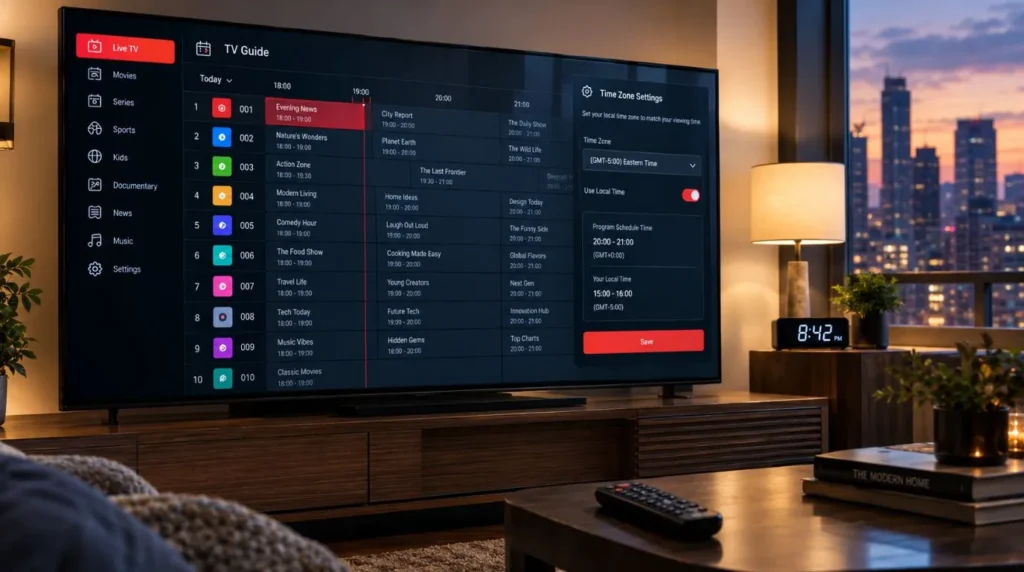
For US users, this can be particularly noticeable because the country spans multiple time zones, including:
- Eastern Time
- Central Time
- Mountain Time
- Pacific Time
Daylight saving time can also affect how schedules are displayed.
If every program appears consistently shifted by one or more hours, check the time-zone settings of your IPTV player and device before assuming that the EPG data itself is incorrect.
A schedule that looks wrong may simply be interpreted using the wrong time-zone setting.
What Makes a Good IPTV EPG?
When comparing IPTV services or evaluating an EPG, it is more useful to look at practical characteristics than to rely on a generic “best IPTV EPG” label.
Useful characteristics include:
Accurate Channel Matching
The guide should associate programming with the correct channels.
Current Schedule Information
Program listings should be updated regularly enough to remain useful.
Broad Channel Coverage
An EPG may not necessarily provide information for every channel in a playlist, so coverage is an important consideration.
Useful Program Details
Titles, times, and descriptions can make the guide considerably more useful than a basic channel list.
Player Compatibility
The EPG needs to work with the IPTV application and configuration you are using.
Correct Time Display
Schedules should appear according to the appropriate time-zone settings for your device and viewing location.
There is no single EPG configuration that is universally the best for every IPTV setup. Compatibility between the service, data source, playlist, player, and device is what matters in practice.
EPG IPTV and the TV Viewing Experience
The main value of an EPG is simple: it gives context to live channels.
Without a guide, you may see a list of channels and have to switch between them to find out what is currently playing.
With an EPG, you can see the schedule before changing channels.
For example, instead of browsing through several channels manually, a TV Guide can show:
| Channel | Now | Next |
|---|---|---|
| News Channel | Current news program | Evening news |
| Sports Channel | Live event | Post-game coverage |
| Movie Channel | Feature film | Next movie |
| Entertainment Channel | Current series | Next episode |
The actual information available will depend on the EPG data supplied for those channels.
This distinction is also useful when evaluating an IPTV service. A service may offer a broad channel selection, but the usefulness of its guide can depend on the quality and coverage of its accompanying schedule data.
EPG, DVR and Catch-Up Are Different Features
EPG can work alongside other IPTV features, but it should not be confused with them.
An EPG primarily provides program schedule information.
A DVR feature is concerned with recording programs.
Catch-up functionality is concerned with accessing eligible previously aired programming.
The EPG can help users identify what is currently airing or what is scheduled next, but simply having an EPG does not automatically mean that an IPTV service provides recording or catch-up functionality.
Keeping these features separate makes it easier to understand what your IPTV service and player actually support.
What to Check Before Troubleshooting an IPTV EPG
When your guide is not displaying correctly, use this quick checklist:
- Check the IPTV service: Does it provide EPG data?
- Check the player: Does your application support the relevant EPG functionality?
- Check the source: Is the configured EPG source available and correct?
- Refresh the data: Run an EPG update if your player provides that option.
- Check channel mapping: Make sure the guide information corresponds to the correct channels.
- Check time zone: Confirm that your device and IPTV player use the appropriate time-zone settings.
- Test several channels: Determine whether the problem affects everything or only specific channels.
- Check for updated instructions: Your IPTV provider may change its recommended configuration.
This process can help distinguish an EPG configuration problem from a channel or streaming problem.
Exploring IPTV Channels With ViviMate
An EPG is one part of the overall IPTV experience. It helps organize live programming, while the channel list determines which channels are available in the first place.
If you want to see the channel offering separately from the program-guide functionality, visit the ViviMate IPTV Channels page.
If you are still researching IPTV and want to understand the service itself, you can also explore ViviMate’s IPTV Subscription page or start with the general ViviMate website.
The key thing to remember is that an EPG does not provide the channels themselves. It provides the schedule information that helps you navigate those channels. When the playlist, EPG data, channel mapping, player, and time-zone settings are correctly aligned, the TV Guide becomes a much more useful part of the IPTV setup.
Available next action: Create a downloadable DOCX file here in this chat containing the editable prose above