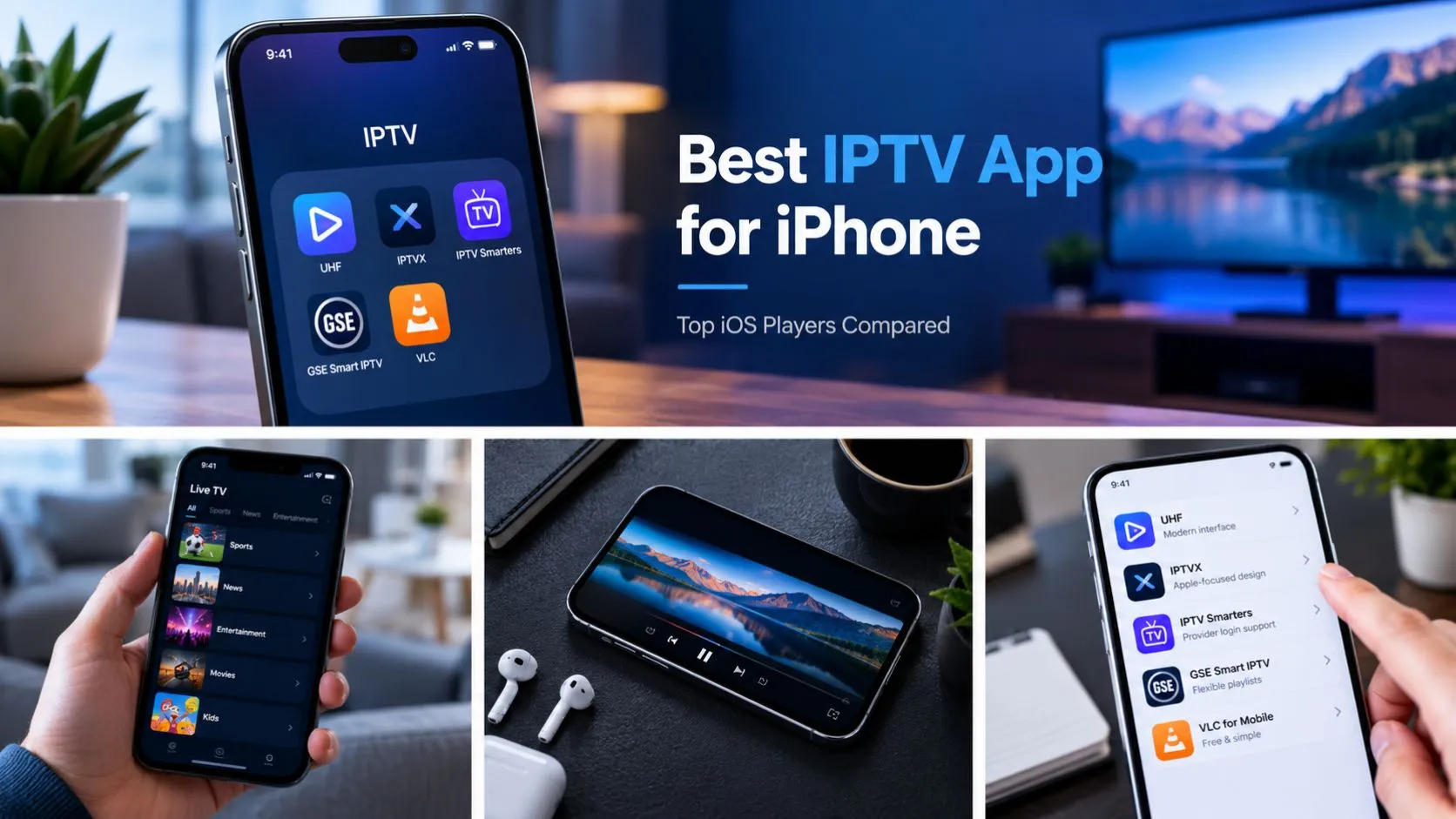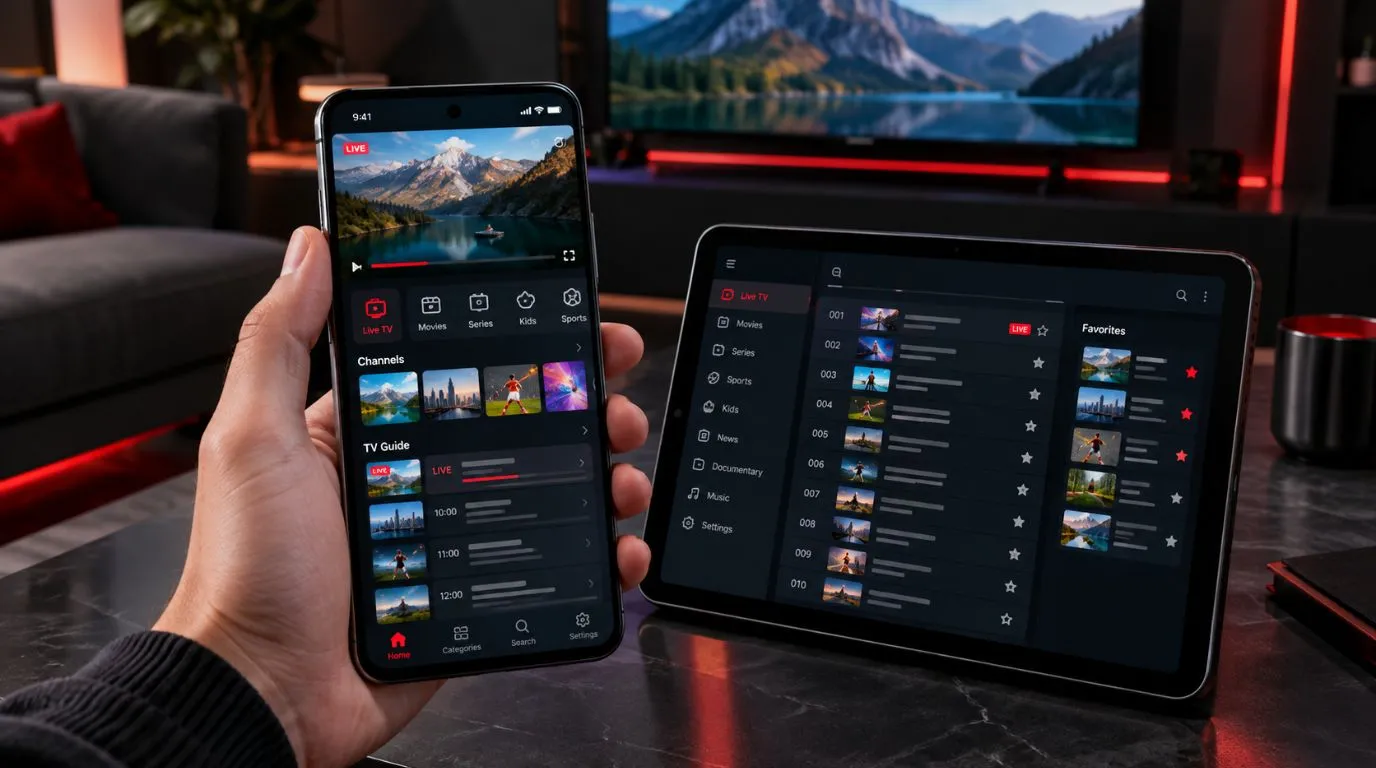
Finding the best IPTV app for Android depends on how you watch TV, which playlist format your provider uses, and whether you prefer a simple interface or advanced playback controls. Some applications are designed for quick access to live channels, while others offer extensive customization, multiple playlists, electronic program guides (EPGs), and video-on-demand libraries.
For Android smartphone and tablet users, the right application should provide intuitive touchscreen navigation, reliable playback over Wi-Fi or mobile data, and compatibility with your existing IPTV service.
This guide compares five popular IPTV players for Android, explains their features and limitations, and helps you choose an application that suits your viewing habits.
If you also watch IPTV on other devices, explore our Best IPTV Player guide for a broader comparison of available applications.
Table of Contents
Best IPTV Apps for Android at a Glance
The following applications offer different approaches to IPTV playback. Some specialize in IPTV playlist management, while others are general-purpose media players capable of opening compatible IPTV streams.
| IPTV App | Notable Features | Pricing | Suitable For |
|---|---|---|---|
| IPTV Smarters Pro | M3U, compatible account login, EPG | Varies by version | Familiar IPTV interface |
| Televizo | Multiple playlists, EPG, favorites | Free and premium | Everyday mobile viewing |
| OTT Navigator | Customization, channel organization | Free and premium | Advanced users |
| GSE Smart IPTV | Multiple formats, playback settings | Depends on version | Multiple playlist sources |
| VLC for Android | Network streams, broad codec support | Free | Simple media playback |
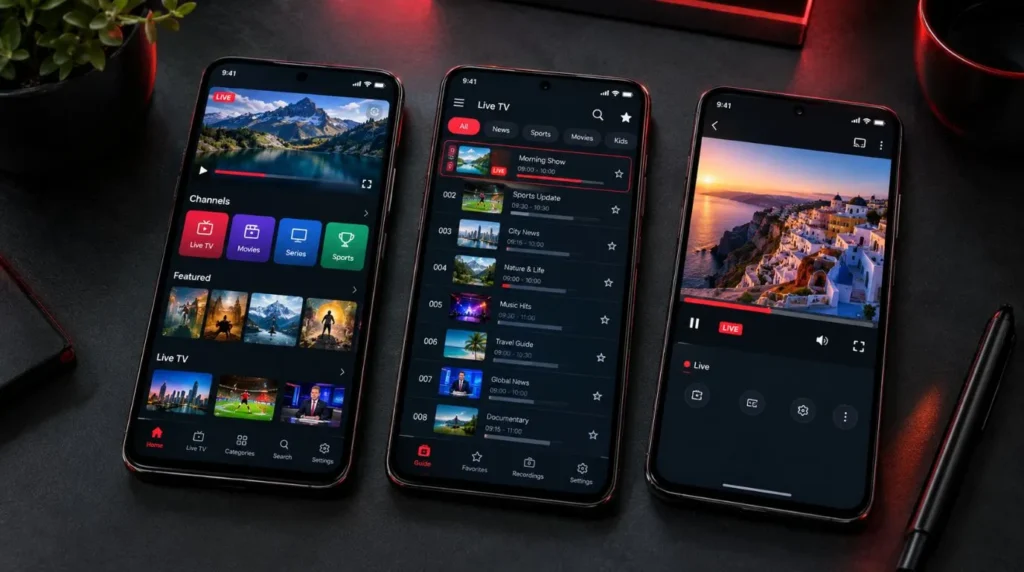
Note: Application availability, pricing, and features can change. Always check the official developer’s website or Google Play listing before installing an application.
These applications are IPTV players, not IPTV subscriptions. They generally require your own playlist, streaming URL, or credentials from an authorized IPTV provider.
1. IPTV Smarters Pro: A Familiar IPTV Interface
IPTV Smarters Pro is a widely recognized IPTV application with an interface designed around live television, movies, and series.
Its structured home screen makes it convenient for users who want to access different content categories without manually opening individual streaming URLs.
Key Features
- M3U playlist and Xtream Codes-compatible account support.
- Live TV, movies, and series sections.
- Electronic program guide integration when supported by the provider.
- Favorites and channel organization.
- Playback options that vary by version.
The application is particularly relevant for users whose IPTV provider supplies a server URL, username, and password instead of a downloadable playlist.
Android Experience
IPTV Smarters Pro uses a category-based interface that separates live channels from on-demand content.
On smartphones, this can make large IPTV libraries easier to navigate than applications that display everything in a single playlist. Tablet users may also appreciate the more spacious layout.
However, features and interface design can differ between releases and distributors. Verify that the version you download is intended for your Android device.
Potential Limitations
IPTV Smarters Pro has several similarly named applications and distributor-specific versions. This can make it difficult to identify the appropriate download.
Use the developer’s official distribution channels, confirm the publisher, and avoid unofficial APK websites.
The application does not automatically provide channels or an IPTV subscription.
2. Televizo: A Practical IPTV Player for Everyday Viewing
Televizo is an Android IPTV player focused on playlist-based television viewing. Its interface combines channel organization, playback controls, and program information without requiring complicated initial configuration.
It is worth considering if you already have an IPTV playlist and want a dedicated Android application for accessing it.
Key Features
- Support for multiple IPTV playlists.
- Electronic program guide integration.
- Favorites and channel organization.
- Catch-up functionality when supported by the IPTV provider.
- Chromecast support.
- Additional premium features.
Android Experience
Televizo’s playlist-oriented design is useful for people who regularly switch between live channels.
Rather than treating IPTV as a collection of individual streaming URLs, the application organizes available content into a television-style interface.
This approach can be particularly convenient on Android tablets, where the larger display provides additional room for channel lists and program information.
Potential Limitations
Some functionality requires the premium version, and catch-up television depends on whether your provider supplies compatible streams and program information.
Check which features are included in the free version before purchasing an upgrade.
For users who prioritize conventional live TV viewing, Televizo offers a focused alternative to more complex IPTV applications.
3. OTT Navigator: Advanced IPTV Customization
OTT Navigator is designed for viewers who want greater control over their IPTV experience. Its extensive customization options make it worth considering if you manage large playlists or prefer to organize channels around your viewing habits.
Unlike simpler applications, OTT Navigator offers numerous ways to adjust how content is displayed and accessed.
Key Features
Depending on the version, OTT Navigator offers:
- M3U playlist and compatible IPTV portal support.
- Advanced channel filtering and organization.
- Electronic program guide integration.
- Favorites and personalized viewing categories.
- Customizable interface layouts.
- Search and additional playback controls.
These features can be particularly useful when your IPTV subscription contains hundreds or thousands of channels.
Android Experience
OTT Navigator’s customization options allow users to organize channels and program information according to their preferences.
For example, you can create a more manageable viewing experience by prioritizing frequently watched channels instead of navigating the entire playlist every time.
The application may require more initial configuration than a simpler IPTV player. Its interface and available controls also depend on the installed version.
Potential Limitations
OTT Navigator has a steeper learning curve than applications designed primarily around basic playlist playback.
Some advanced functionality may require a premium upgrade. Verify the publisher and application package before installation, since similarly named applications exist.
OTT Navigator is a candidate for experienced users who value customization and detailed control over their IPTV library.
4. GSE Smart IPTV: Flexible Playlist and Format Support
GSE Smart IPTV offers extensive playlist management and playback configuration options.
It supports several streaming protocols and can accommodate different IPTV playlist formats, making it relevant for users who manage multiple streaming sources.
Key Features
Depending on the edition and version, its Android features include:
- M3U playlist support.
- Xtream Codes-compatible API integration.
- XMLTV electronic program guides.
- Chromecast support.
- Automatic live-stream reconnection.
- Parental controls.
- Multiple themes and language options.
- Embedded and external subtitle support.
Its range of supported streaming protocols and subtitle formats distinguishes it from more narrowly focused IPTV applications.
Android Experience
GSE Smart IPTV provides extensive configuration options for users who want to manage playlists, playback settings, and program information.
Its interface is more utilitarian than some newer IPTV applications. Users primarily interested in opening a playlist and watching television may prefer a simpler design.
However, its additional controls can be useful when dealing with different playlist formats or streams that require specific playback settings.
Free Versus Paid Versions
GSE Smart IPTV has offered free and paid Android editions. Features, advertising, and purchase options depend on the version currently available.
Before purchasing, compare the current feature descriptions and check compatibility with your Android version.
5. VLC for Android: Free IPTV Stream Playback
VLC for Android takes a different approach from dedicated IPTV applications.
Instead of focusing on channel libraries, subscription credentials, and television guides, VLC is a general-purpose media player capable of opening compatible network streams and multimedia files.
It is a practical option if you already have an accessible streaming URL or compatible playlist and do not need an elaborate IPTV interface.
Key Features
- Free and open-source software.
- Network streaming support, including HLS.
- Hardware and software decoding.
- Support for numerous audio and video formats.
- Embedded and external subtitles.
- Playback gestures and audio controls.
- Local video and music playback.
VLC is available through the official VideoLAN Android download page.
Android Experience
VLC offers familiar mobile media controls and supports both local files and network streams.
To open a compatible IPTV stream, launch VLC, navigate to its network streaming option, and enter the stream URL.
VLC can also open supported playlist files, although the experience is different from using a dedicated IPTV application.
Potential Limitations
VLC does not provide the same integrated IPTV account management, channel organization, and EPG experience as dedicated IPTV players.
If your provider supplies only Xtream Codes-compatible credentials, a dedicated IPTV application may be more convenient.
For users who prioritize free playback and broad media compatibility, VLC offers an alternative without requiring a premium subscription.
How to Choose the Right IPTV Player for Android
The most important consideration is compatibility with your existing IPTV service. An application can have an attractive interface and extensive features but still be unsuitable if it does not support your provider’s authentication method.
Before installing an app, consider the following factors.
1. Check Playlist and Login Compatibility
IPTV providers commonly supply access through an M3U playlist or Xtream Codes-compatible credentials.
An M3U playlist typically contains streaming URLs and information that a compatible application can use to organize available channels.
Xtream Codes-compatible authentication usually requires a server URL, username, and password.
If your provider uses account-based authentication, choose an application that explicitly supports the required login method.
VLC, for example, can open compatible network streams but is not a substitute for every dedicated IPTV login interface.
2. Look for an Interface Designed for Mobile Devices
An Android IPTV app should be comfortable to use on a touchscreen.
Pay attention to channel navigation, search functionality, favorites, playback controls, and landscape viewing.
For smartphones, consider whether the interface remains usable on a relatively small screen.
Tablet users may benefit from applications that display channel lists and program information alongside the video player.
3. Consider EPG and Channel Organization
An electronic program guide displays available television schedule information.
For viewers who regularly watch live television, an EPG can make navigating a large channel library significantly more convenient.
However, EPG functionality depends on compatible program data being supplied by your provider or an external guide source.
Check whether your chosen application supports the EPG format available to you.
4. Evaluate Playback Compatibility
Android devices vary considerably in processing power, video decoding capabilities, and supported formats.
Look for an application that supports the video formats supplied by your IPTV provider.
Hardware decoding can reduce processor usage when the device supports the relevant codec. However, playback performance also depends on stream quality, device capabilities, and network conditions.
A player cannot turn a low-resolution stream into genuine 4K video.
5. Compare Free and Premium Features
A free IPTV application may provide everything you need for occasional viewing.
Premium features become more relevant when you want multiple playlists, additional customization, backup and restore functionality, or an advertisement-free interface.
Before purchasing, determine whether the upgrade is a one-time payment or a recurring subscription.
Also check whether the purchase applies to multiple Android devices or only one installation.
How to Install an IPTV App on Android
Once you have selected a compatible application, installation usually takes only a few minutes.
The exact configuration process depends on your chosen player and the credentials supplied by your IPTV provider.
Step 1: Download the Application
Open the Google Play Store on your Android smartphone or tablet.
Search for your chosen IPTV application, verify the publisher, and review its compatibility requirements.
Install the application using its official listing.
If the developer distributes the app outside Google Play, obtain the installation package directly from a verified official source. Avoid downloading modified or unverified APK files.
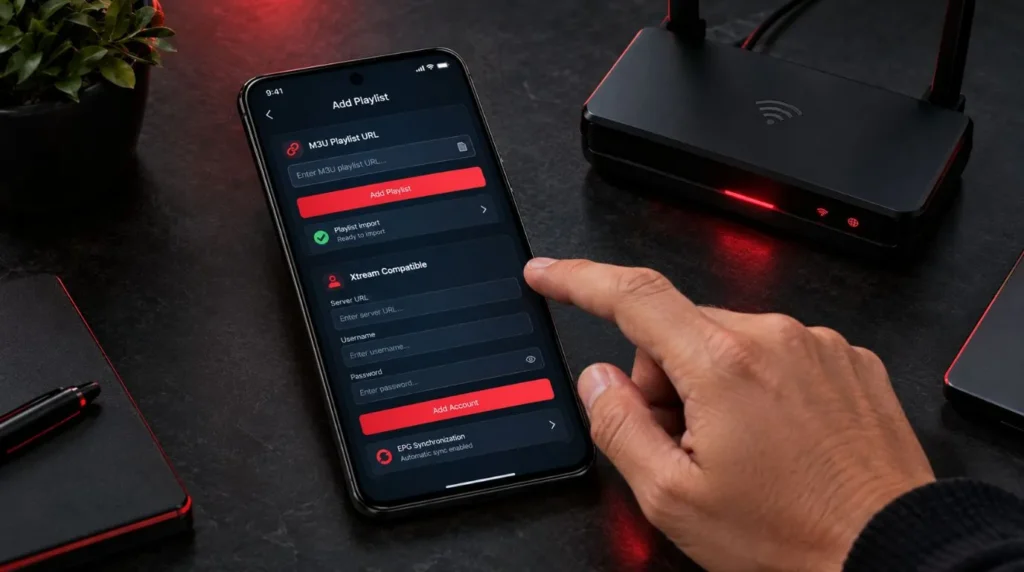
Step 2: Add Your IPTV Playlist or Credentials
Launch the application and select the appropriate playlist or account option.
If your provider supplies an M3U URL, enter it in the playlist configuration screen.
If your provider supplies Xtream Codes-compatible credentials, enter the server URL, username, and password in the corresponding fields.
Make sure you enter the complete server address, including the required protocol and port, if provided.
Step 3: Configure the EPG
If your IPTV provider supplies an EPG URL, add it to the application’s program guide settings.
Some applications automatically retrieve EPG information through supported provider APIs.
Allow the guide to finish loading before checking whether program information is available.
Step 4: Test Playback
Open a live channel and check whether video and audio play correctly.
Test several channels rather than relying on a single stream.
If available, experiment with the application’s hardware decoding or external-player settings when playback problems occur.
For additional guidance, visit our IPTV setup guide.
Common Android IPTV Problems and How to Fix Them
Even a compatible application can encounter playback problems caused by network conditions, unsupported formats, or incorrect playlist settings.
| Problem | Possible Cause | What to Try |
|---|---|---|
| Frequent buffering | Unstable connection or overloaded source | Test Wi-Fi, another network, or a different authorized stream |
| Playlist will not load | Incorrect URL or expired credentials | Verify your playlist and account details |
| Video plays without sound | Unsupported audio codec or track | Select another audio track or compatible player |
| EPG is missing | Incorrect guide URL or unavailable data | Refresh the guide and verify its source |
| App closes unexpectedly | Software issue or device compatibility | Update the app and restart your device |
| Playback stops in the background | Android battery restrictions | Review battery and background settings |
Reduce Buffering on Mobile Data
IPTV streaming can consume substantial mobile data, particularly at higher resolutions.
For extended viewing, a stable Wi-Fi connection is generally preferable.
If you regularly watch IPTV over 4G or 5G, monitor your data allowance and consider selecting a lower-quality stream when your connection becomes unstable.
Avoid assuming that buffering always indicates a problem with the IPTV application. The streaming source and network can be equally important.
Check Android Battery Settings
Some Android devices restrict background activity to conserve battery power.
These restrictions can interfere with applications that support background audio or picture-in-picture playback.
If playback stops when switching applications, review your Android battery optimization settings.
Only relax background restrictions for applications you trust, since unrestricted background activity may increase battery consumption.
Which Android IPTV App Fits Your Viewing Needs?
The right choice depends on your existing IPTV credentials, preferred features, and willingness to configure the application.
For Straightforward Playlist Viewing: Televizo
Consider Televizo if you want a dedicated IPTV interface with playlists, favorites, and program guide functionality.
For IPTV Account-Based Access: IPTV Smarters Pro
Consider a verified version of IPTV Smarters Pro if your provider supplies compatible account credentials and you prefer separate live TV and on-demand sections.
For Extensive Customization: OTT Navigator
Explore OTT Navigator if you want detailed channel organization, filtering, and configurable viewing options.
For Flexible Playlist Configuration: GSE Smart IPTV
Consider GSE if you work with different playlist formats and want extensive streaming and subtitle options.
For Free Network-Stream Playback: VLC
Choose VLC if you primarily need to open compatible streams and media files without purchasing a dedicated IPTV player.
Ready to Watch IPTV on Your Android Device?
Before purchasing an application or subscription, confirm that your chosen player supports your provider’s playlist format and that your Android device can handle the intended video quality.
If you are still evaluating IPTV providers, explore ViviMate’s IPTV subscription options and check the supported applications and setup requirements before subscribing.
You can also review the available IPTV free trial to determine whether a trial is offered and what conditions apply. A trial, where available, can help you check compatibility with your preferred Android player before making a longer commitment.
The most useful Android IPTV application is one that supports your existing service, works comfortably on your phone or tablet, and provides the playback and navigation features you actually use.