If you are searching for free IPTV on Firestick, you will find plenty of apps, playlists, and streaming options claiming to offer live TV at no cost. The important part is understanding what “free IPTV” actually means before installing anything.
A Firestick can run IPTV-related apps, but an app being free to download does not necessarily mean it provides free television channels. Some apps are simply IPTV players, while others connect users to free streaming sources. The available content, reliability, advertising, privacy practices, and licensing can vary significantly.
This guide explains how free IPTV works on Firestick, what you can realistically expect, how to evaluate free IPTV apps, and what to check before downloading an unfamiliar application.
Table of Contents
Can You Get Free IPTV on Firestick?
Yes. A Firestick can be used to access free live-TV and IPTV-style streaming sources, provided the application or service is compatible with the device.
However, there are several different things people may mean when they search for free IPTV Firestick options:
- A free streaming app with its own channels
- A free IPTV player that requires a playlist or content source
- Publicly available streaming channels
- A limited free tier or ad-supported service
- A temporary free trial
- An unofficial IPTV application or source
These options are not interchangeable.
For example, downloading a free IPTV player does not automatically give you access to television channels. The player may simply provide the interface used to organize and play streams supplied from another source.
That distinction is one of the most important things to understand before choosing an app.
How Free IPTV on Firestick Actually Works
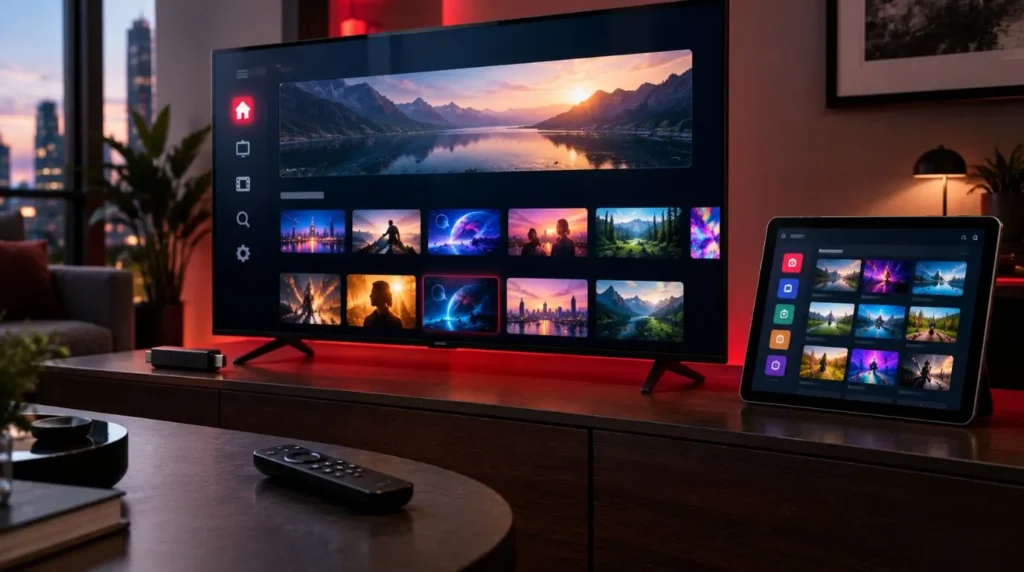
A simple way to understand the setup is to separate it into three parts:
Firestick → IPTV player or streaming app → content source
Each part has a different role.
The Firestick is the streaming device
The Firestick connects to your television and provides the operating environment for compatible streaming applications.
It handles the connection to your home network and displays the video on your TV. The device itself does not determine whether a particular IPTV source is free, paid, licensed, or reliable.
An IPTV player displays content
An IPTV player is software designed to play and organize streaming content.
Depending on the player, it may support features such as:
- Live TV channel lists
- Playlists
- Electronic program guides (EPG)
- Favorites
- Categories
- Playback controls
- Multiple content formats
A player may be free to install while the content it plays comes from a separate service.
If you are specifically comparing IPTV players and their features, see the Best IPTV Player guide for that separate topic.
The content source provides the programming
The actual television programming comes from a streaming source.
That source could be a legitimate free streaming platform, an ad-supported service, a publicly available channel stream, or another IPTV source.
This is why searching for the “best free IPTV Firestick” option without first identifying what the app actually provides can be misleading. Two applications may both be free to download but offer completely different content and functionality.
What Types of Free IPTV Options Are Available?
There is no single model for free IPTV. Understanding the main categories makes it easier to evaluate what you find online.
Free and ad-supported streaming channels
Some legitimate services provide live channels or on-demand programming without requiring a traditional subscription.
These services commonly support their operation through advertising. Their catalogs may include news, entertainment, lifestyle programming, movies, older television content, or other free-to-watch material.
Availability can depend on the service and your location.
Free IPTV playlists and public streams
Some IPTV players can load playlists containing streaming URLs.
A playlist may contain links to channels or other video streams, while the player provides the interface for browsing and playing them.
The important consideration is the source of those streams. A playlist being publicly available does not automatically establish that every channel or program within it is authorized for distribution.
Free IPTV apps
Some applications are marketed as free IPTV apps for Firestick.
Before installing one, determine whether the application:
- Provides its own programming,
- Connects to another streaming service, or
- Requires you to supply a playlist or other source.
This prevents a common misunderstanding: free app does not always mean free content.
Free trials and limited plans
A free trial is another category entirely.
A service may offer temporary access, a restricted selection, or a limited free tier. That can be useful for evaluating a platform, but it should not be confused with a permanently free IPTV service.
Always check the terms of a trial, including its duration and what happens when the trial ends.
What Can You Expect From Free IPTV?
Free IPTV can be useful, but expectations should be realistic.
There is no universal level of channel selection, picture quality, reliability, or support for every free option.
| Factor | What to expect from free options |
|---|---|
| Content selection | Often varies considerably |
| Advertising | Common with legitimate ad-supported services |
| Video quality | Depends on the source and stream |
| EPG | May be available, limited, or absent |
| Reliability | Can vary by service and source |
| Geographic availability | Some content may be region-restricted |
| Customer support | Often limited with free services |
| Cost | No subscription cost for genuinely free options |
A service offering free access may also have fewer channels or features than a paid platform. That is not necessarily a problem if its available content matches what you actually want to watch.
The key is to evaluate the service based on its actual features rather than assuming that “free” means unlimited.
Free IPTV vs. Paid IPTV on Firestick
The difference between free and paid IPTV is not simply whether money changes hands.
A free option may provide enough content for occasional viewing, while a paid service may offer a larger catalog or additional features. At the same time, paying for a service does not automatically guarantee quality, reliability, or legitimate licensing.
Consider the following factors when comparing options:
Content
Look at whether the service actually offers the channels and types of programming you want.
Reliability
A stream that frequently stops, buffers, or disappears may not be useful regardless of its price.
Advertising
Free services may rely on advertising. Consider whether the advertising experience is reasonable for your viewing habits.
Features
Some users may care about EPG support, favorites, categories, catch-up functions, or other features.
Support
A paid service may offer customer support, while a free source may provide little or none.
Licensing
Most importantly, consider whether the source has the appropriate rights to distribute its programming.
The right choice depends on what you need from your Firestick rather than simply whether an option is free.
How to Evaluate Free IPTV Firestick Apps
If you are researching free IPTV Firestick apps, don’t judge them solely by the number of channels or downloads advertised on a website.
Use a simple evaluation process instead.
Check the source of the app
Know where the application comes from and who publishes it.
Be particularly cautious when an unfamiliar website asks you to download an APK without providing clear information about the publisher, privacy practices, or purpose of the application.
A professional-looking download page does not by itself prove that an application is trustworthy.
Find out what the app actually does
Before installing anything, determine whether it is:
- A content service
- An IPTV player
- A streaming aggregator
- A playlist-based application
- A free trial application
This can save you from installing an app expecting channels when it is actually just a media player.
Review permissions and privacy information
An application should not automatically be trusted simply because it is free.
Consider what information it requests and whether those permissions make sense for its stated function.
Also look for basic information about the publisher and privacy practices.
Watch for aggressive advertising
Advertising is not automatically a sign that an application is unsafe. Many legitimate free streaming services use ads.
However, repeated redirects, deceptive download buttons, unexpected pop-ups, or requests to install additional unknown software should raise caution.
Check Firestick compatibility
Not every Android-based application will provide the same experience on every Fire TV device or software version.
Look for compatibility information before spending time installing an application that may not work correctly with your setup.
How to Download Free IPTV on Firestick Safely
When looking for a way to download free IPTV Firestick apps, the safest approach is to identify the application and its publisher first rather than searching randomly for APK files.
Before downloading, ask:
- Who publishes the application?
- Is the source identifiable?
- Is the application intended for Firestick or Fire TV?
- Does the publisher provide privacy information?
- What permissions does the application request?
- Does the download page use misleading buttons or redirects?
- Does the service explain where its content comes from?
- Are there reports of the application behaving unexpectedly?
Avoid treating an APK download as trustworthy simply because it is described as “free.”
If an application requires unusual permissions, asks for unnecessary personal information, or repeatedly redirects you to unrelated downloads, reconsider whether it is worth installing.
Keeping the Firestick software and installed applications updated is also an important part of basic device security.
Are Free IPTV Apps Safe to Use?
There is no universal answer because safety depends on the particular application, its source, and how it handles data and content.
A legitimate free streaming application can be perfectly reasonable to use. An unknown application distributed through an unreliable source can present a very different risk.
Pay particular attention to these warning signs:
- Unknown or unclear publisher
- Suspicious APK download sites
- Excessive permissions
- Aggressive pop-ups or redirects
- Requests for unnecessary personal information
- Promises that seem unrealistic
- Instructions requiring several unrelated applications
- Lack of basic information about the service
Free access should not require you to ignore basic privacy and security precautions.
Is Free IPTV Legal?
IPTV itself is a technology for delivering television and video over internet connections. The legality of a particular IPTV service depends on factors such as the content being distributed, licensing or authorization, applicable laws, jurisdiction, and how the service is used.
That means it is inaccurate to say that all IPTV is legal or that all free IPTV is illegal.
Legitimate free streaming services can distribute authorized programming without charging viewers directly. Other sources may distribute content without the necessary rights.
When evaluating an IPTV source, consider whether it clearly identifies the service, explains its content offering, and has an appropriate basis for distributing the programming it provides.
If a service makes extraordinary promises about access to premium content while providing little information about how that content is licensed, that is a reason to investigate further rather than assuming the service is legitimate.
Do You Need an IPTV Player for Free IPTV on Firestick?
Not always.
Some streaming services provide their own Firestick-compatible applications, meaning you can use the service without a separate IPTV player.
Other IPTV sources are designed to work through a compatible player. In that situation, the player provides the interface for loading and organizing the available streams.
This distinction matters when comparing free IPTV on Firestick options.
Think of it this way:
Streaming service: provides the content
IPTV player: provides the playback interface
Firestick: provides the device and operating environment
A player can be an important part of the setup, but installing one does not automatically provide free television channels.
For a deeper look at player features and how to choose between different types of IPTV players, visit the Best IPTV Player page.
What to Check Before Choosing a Free IPTV Option
Before installing or using a free IPTV source, run through this quick checklist:
1. Is the source identifiable?
You should be able to determine who operates the application or service.
2. Does it explain what you get for free?
Look for clear information about channels, programming, advertisements, restrictions, and available features.
3. Is the content authorized?
Consider whether the service appears to have the necessary rights to distribute the programming it offers.
4. Is the app compatible with your Firestick?
Check device and software compatibility before installing.
5. Does the application request reasonable permissions?
Be cautious when an IPTV application asks for information or access unrelated to its core function.
6. Is the download source trustworthy?
Prefer identifiable, reputable distribution channels over random APK websites.
7. What happens when something goes wrong?
A free application may offer limited support. Consider whether you are comfortable troubleshooting problems yourself.
8. Does the service rely heavily on advertising?
Ads can be part of legitimate free streaming, but an excessive or deceptive advertising experience may make an application impractical to use.
What About the “Best Free IPTV Firestick” Option?
There is no single free IPTV option that is automatically right for every Firestick user.
The useful question is not simply:
“Which free IPTV app has the most channels?”
Instead, consider what you actually need:
- A specific type of programming
- Live TV rather than on-demand content
- A simple interface
- EPG support
- Reliable playback
- Limited advertising
- Compatibility with your device
- A clearly identified content source
- Appropriate licensing
A smaller, clearly documented free service may be more useful to you than an unknown application making much larger promises.
Likewise, a free IPTV player may be useful for organizing a legitimate source without actually providing any channels itself.
When a Free IPTV Option Makes Sense
Free IPTV can make sense for users who want to:
- explore internet-based live TV;
- watch legitimate free channels;
- avoid committing to a subscription immediately;
- test IPTV playback on a Firestick;
- use ad-supported programming;
- access a limited selection of content.
It may be less suitable if you expect a large premium channel lineup, extensive customer support, guaranteed uptime, or a highly specific collection of programming.
In those situations, comparing established services and their features may be more useful than focusing exclusively on price.
If you are researching subscription models rather than permanently free options, ViviMate also covers IPTV subscriptions and IPTV free trials as separate topics.
The Bottom Line
Free IPTV on Firestick is possible, but “free IPTV” can mean several different things. A free streaming service, a free IPTV application, an IPTV player, and a free playlist are not necessarily the same thing.
Before downloading anything, identify what the application actually provides, where its content comes from, whether it is compatible with your Firestick, and whether the source appears trustworthy and properly authorized.
For many users, the biggest source of confusion is the difference between the player and the content source. Once that distinction is clear, it becomes much easier to evaluate free IPTV options without assuming that every free app provides free channels.
If you decide that you need a dedicated player for your streaming setup, the next step is to compare the features and compatibility of different IPTV players rather than choosing an application simply because it is free.